
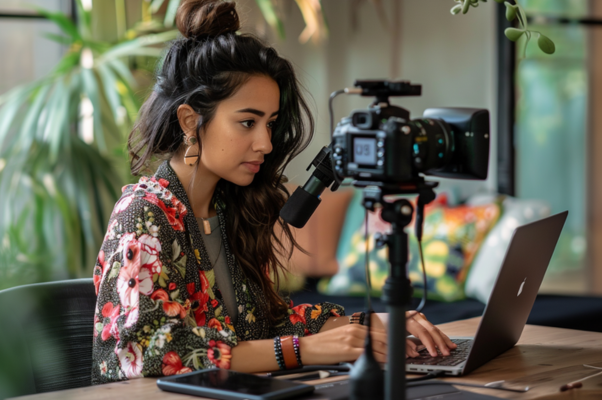
Videos are at the heart of online content today, and I’ve come to realize that having high-quality videos is essential. But in fact, making videos can be expensive and time-consuming, and often, it requires a set of skills I don’t have.
That’s where Vidnoz AI comes in, and honestly, it’s been a game-changer for me.
What is Vidnoz AI?
So, what exactly is Vidnoz AI? Vidnoz AI is a smart platform that makes video creation quick, easy, and accessible. Vidnoz AI helps me create engaging videos with just a few clicks, no editing skills are required. And if you’re like me and concerned about security, I was relieved to find that Vidnoz AI has earned ISO/IEC 27001:2022 certification. This means it follows top-level data security standards. If you are working with sensitive information, don’t worry.
Features That Make Vidnoz AI a Must-Have Tool for Video Creators
Here are some of the features I find most useful:
1500+ Avatars
One of the things that stood out to me is the massive selection of over 1,500 avatars. These digital characters can bring my videos to life. I can even customize their clothes and facial expressions to better match my theme. It’s such a simple way to make my videos more engaging.
1380+ Realistic Voices
The voice options are another feature I love. With over 1,380 high-quality AI voices, I’m able to choose the perfect tone and language for my videos. Powered by top tech from companies like ElevenLabs, Microsoft, and Google, these voices sound so natural. Finding the right voice to suit the mood of my video has never been easier.
2800+ Ready-to-Use Templates
Vidnoz AI can also help me save a lot of your time. I am amazed at the fact that It offers more than 2,800 pre-designed templates. Whether I am going to create social media content, training videos, or marketing campaigns, there is a template for every occasion.
Free to Get Started
I appreciate that Vidnoz AI offers up to 3 minutes of free video creation every day. It’s the perfect way to try things out without worrying about a budget, and it is a great option for me who want to try it out before exploring the paid features.
Free Avatar Lite Customization
Do you want to appear in your videos without being on camera? Vidnoz can do it. We can create a digital version of ourselves with the Free Avatar Lite Customization feature. All we need is a 10-second video of you with your mouth closed.
How to Use Vidnoz AI for Video Creation?
Creating a video with Vidnoz AI is super simple:
Sign Up for Free
First, I head over to the Vidnoz AI website and sign up. It takes just a minute to create an account, and I’m ready to get started.
Select the Right Template or Avatar
I can now explore over 2,800 templates or choose from 1,500+ avatars to kick off my project. The templates are organized into categories. So, it is easy to find one that fits my needs. I want to make a video about introducing my company. So I pick a template from the business category.
Customize Your Video
Next, I upload my script, choose a suitable voice, and choose background music.
Generate and Share
Finally, when everything looks good, I click on “Generate,” and let Vidnoz AI work its magic. The video is ready to download in seconds, and I can share it directly on my website, social media, or with my team.
Final Thoughts
Vidnoz AI has truly transformed how I create videos in 2025. With its vast library of avatars, voices, and templates, making professional-quality videos is easier than ever. The platform is user-friendly, and the AI tools make video creation a breeze. It’s a must-have for anyone, from marketers to digital creators, and it’s incredibly budget-friendly.
If you want to take your video content to the next level, I highly recommend giving Vidnoz AI a try. It’s secure, easy to use, and offers amazing results.